
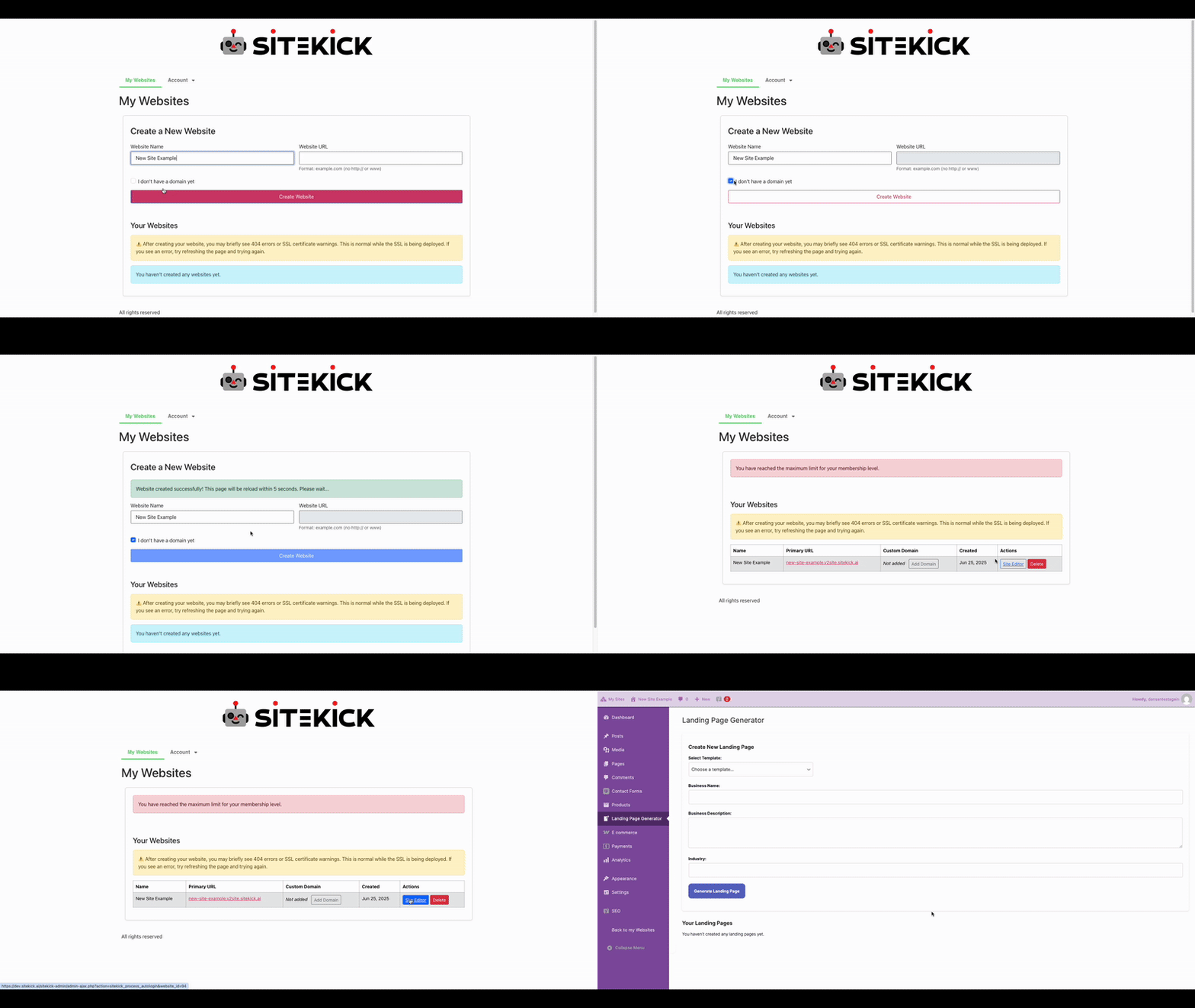
Give your website a name.
Start with your business name, choose your website address, and describe who you serve. Your business details give AI the right starting point.
FROM FIRST IDEA TO WHAT’S NEXT
Start with your business. Create pages and content with AI, shape them in the visual editor, and review your website before publishing.
Start with your business name, choose your website address, and describe who you serve. Your business details give AI the right starting point.
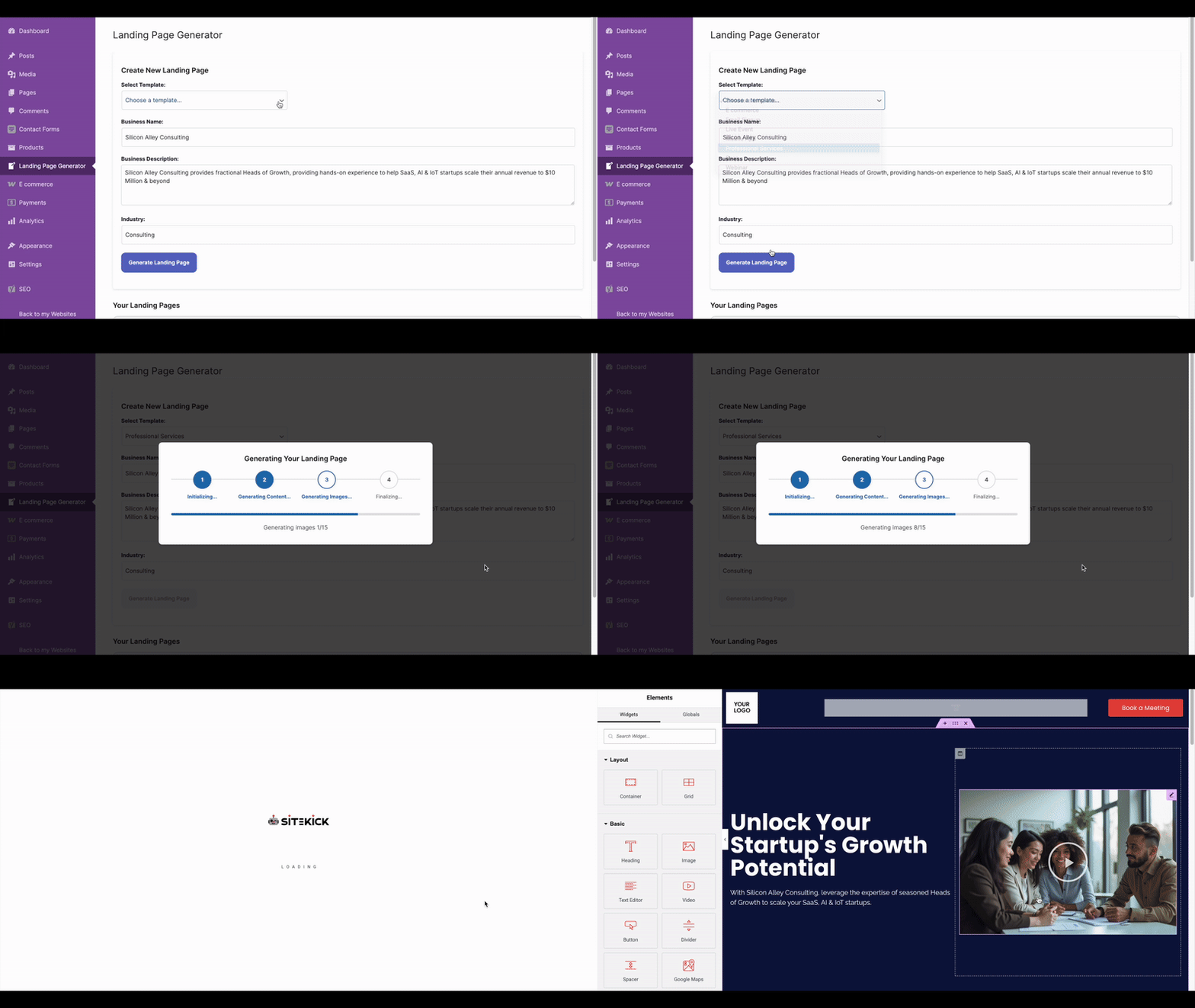
Use your business description to draft page copy and images. Create and review pages for your services, products, About, and FAQs in the Site Editor.
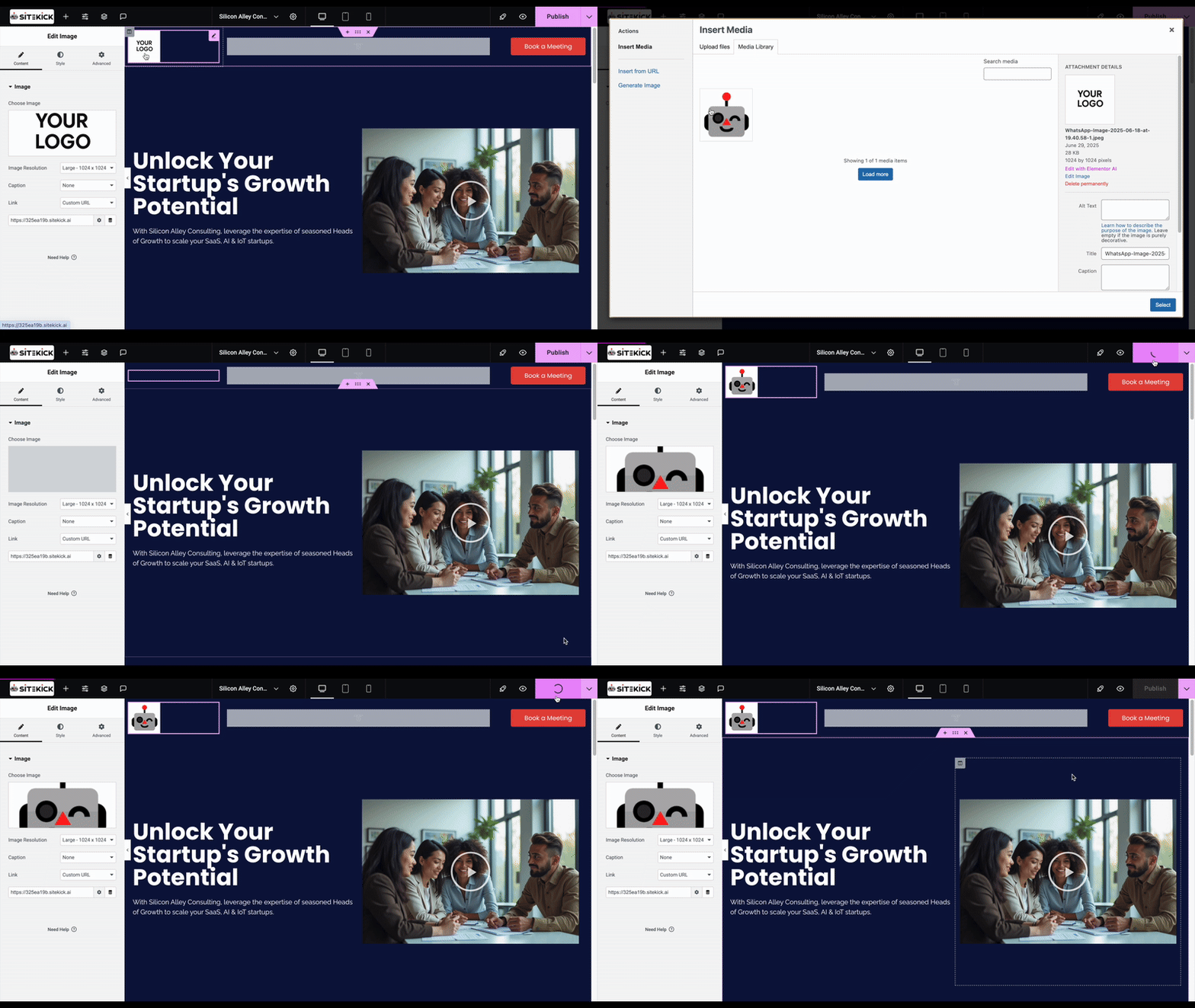
Customize your logo, fonts, colors, layout, and page structure. Add useful content, signup forms, a blog, and the next step that matters to your business. Review the result before you launch.
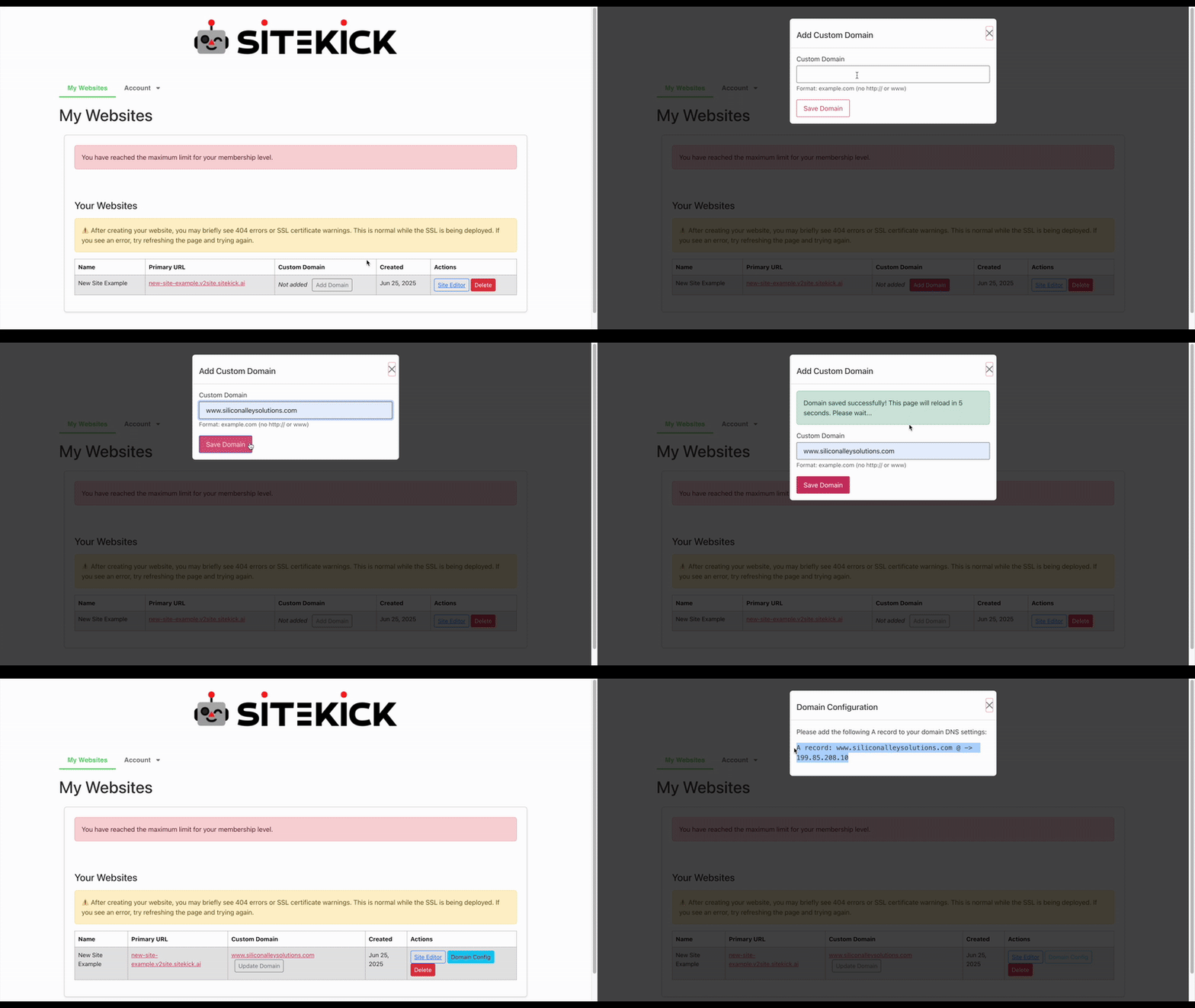
Publish with Sitekick at your-business.sitekick.ai, or use a custom domain you already own. We handle the hosting while you manage your pages and content as your business grows.
THE CMS WORKFLOW
The journey that made Sitekick’s name starts by naming your website and choosing an initial URL. Describe your business, create your pages, customize them, publish, and connect a domain.
In Sitekick AI CMS, open Site Editor after choosing the site name and initial address. Describe the business and its products or services, then generate the copy, design, and images together. The drag-and-drop editor lets you change your logo, typography, colors, and page structure. Its page generator adds About, FAQ, and product or service pages to the same site.
Sitekick AI CMS brings email signup forms, an e-commerce store, and a blog CMS into that workflow. Finish by connecting your own domain through Domain Configuration in the site settings.
Sitekick AI Studio is in private beta. It is being developed for custom websites, business applications, and ongoing AI management.
Meet Sitekick AI CMSA GOOD PLACE TO START
Build and manage your WordPress website with SiteKick CMS. Your site, content, and assets stay yours.