Your conversation, saved.
Your Sitekick keeps conversation history and approved decisions. Continue work with the selected website's project context instead of briefing each page in isolation.
SITEKICK CMS
Build and keep improving your WordPress website with Your Sitekick. Continue saved conversations, work with whole-site project context, and compare proposed changes before reviewing publication.
Powered by WordPress, with full ownership of your site, content, and assets. Export anytime.
YOUR SITEKICK · IN THE WORDPRESS CMS
Return to a saved conversation for your selected website. Give Sitekick a goal, inspect its proposed work, and decide what goes live.
Your Sitekick keeps conversation history and approved decisions. Continue work with the selected website's project context instead of briefing each page in isolation.
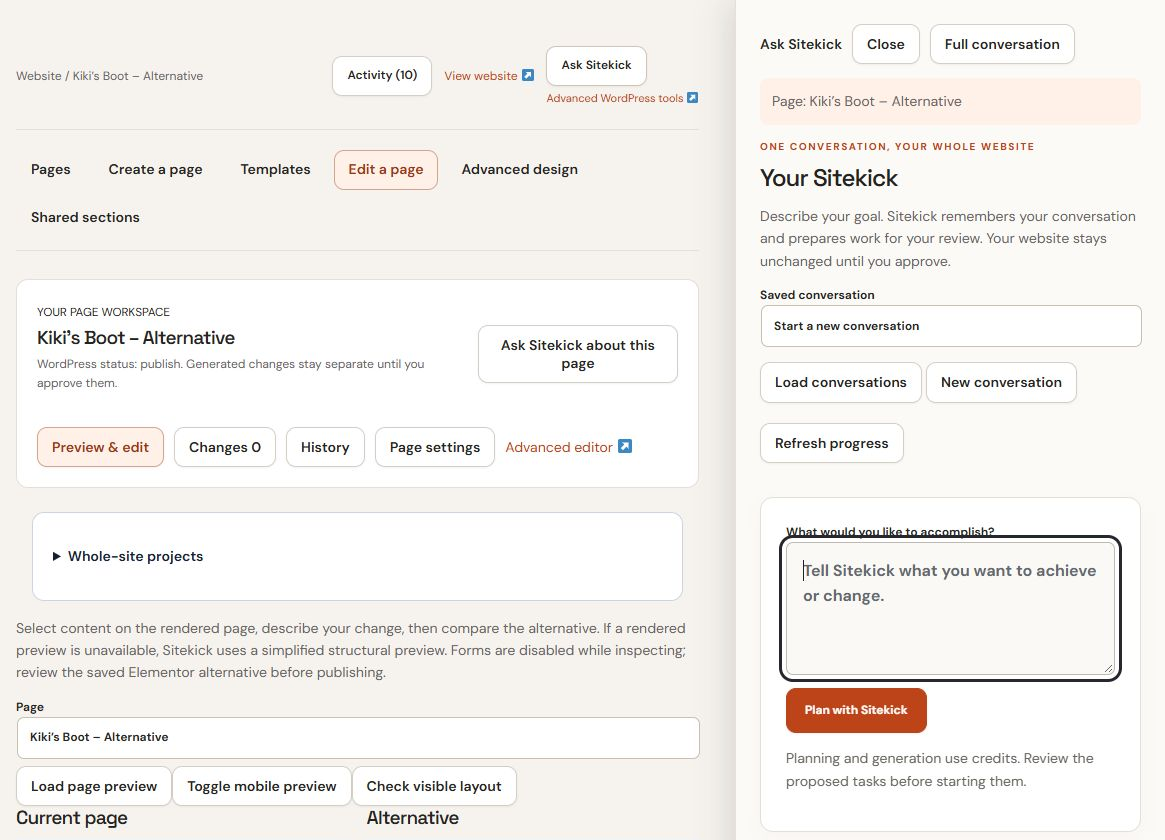
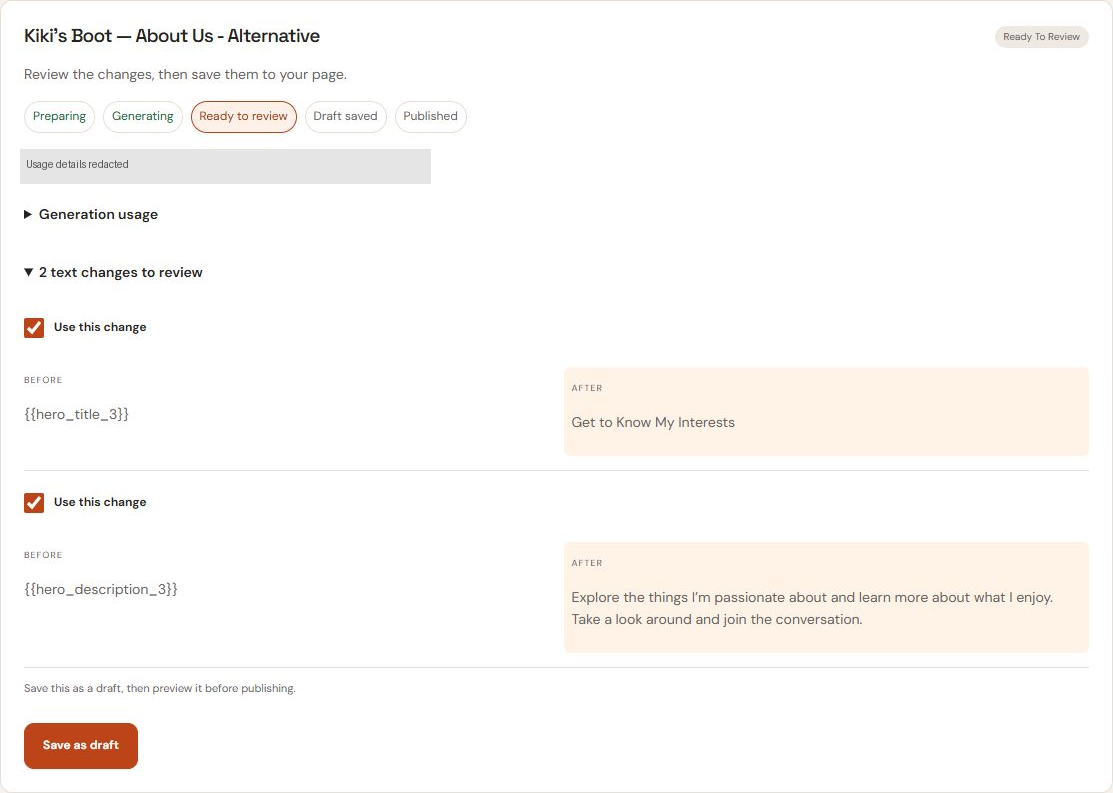
Select page content and describe a supported text or layout change. Compare the current page with a proposed alternative, then review the saved draft in Activity. Some pages use a simplified structural preview when a rendered preview is unavailable.
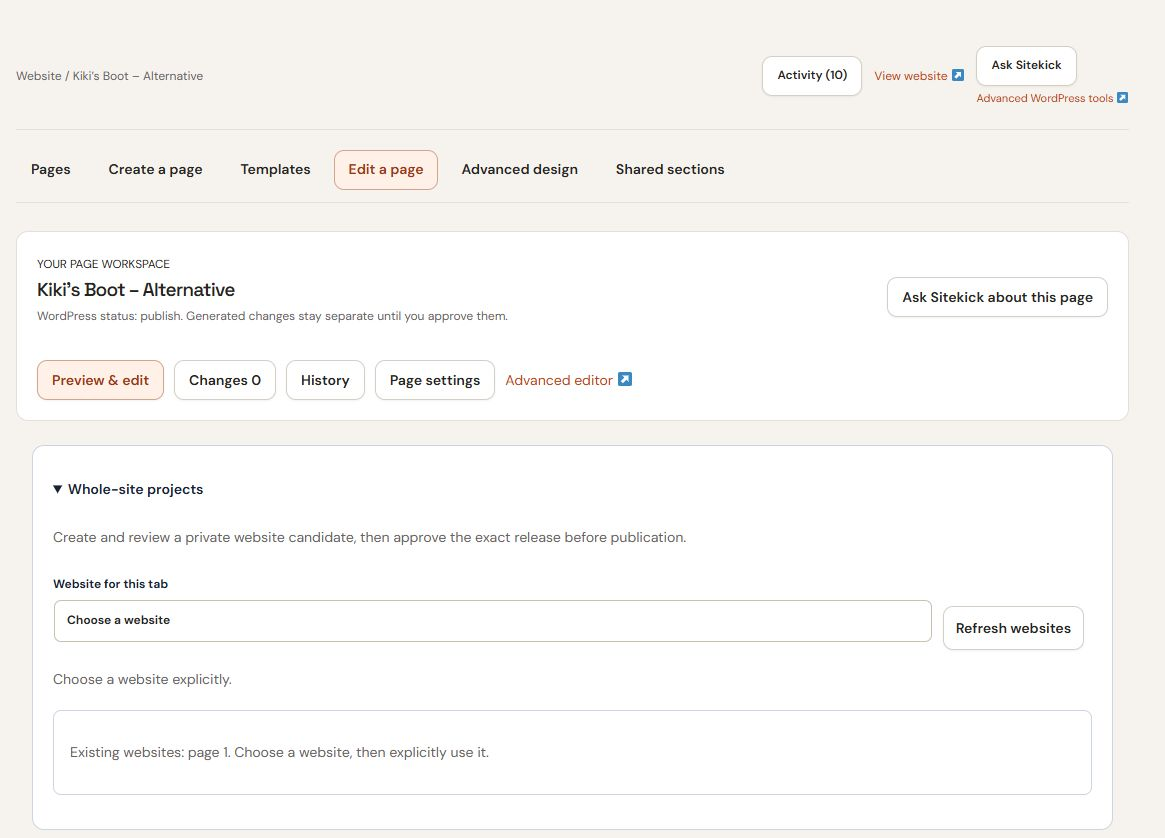
Work from a whole-site plan through private preview and review. Planning, generation and publication are separate steps. Review the proposed changes and approve publication in your CMS session.
Planning and generation use credits. Available actions depend on your account, selected site and WordPress permissions. MCP requires a supported connection enabled for your account. Explore the conversation and MCP workflow.
FROM THE LIVE CMS
Actual Sitekick CMS screens from a demo website. Use the full-size links to inspect the details.
ONE BUSINESS. A WHOLE WEBSITE.
Bring your services, story, and next step together. Plan the pages, explore a private preview, and make it your own before you publish.
EXAMPLE BUSINESS BRIEF
“I’m an independent consultant helping small business owners with strategy and operations. I offer strategy sessions, operations reviews, and ongoing advisory support. I want a warm, professional website that explains my services and invites the right clients to get in touch.”
Tell SiteKick about your business, your audience, and what your website should help them do.
Review a connected page plan, with a clear purpose for each page.
Explore the whole website privately before sharing it with customers.
Adjust the copy, images, and page layouts. Check your business details and contact information.
Choose to publish when you are ready. Creating or refining a draft does not publish it.
YOUR FIVE-PAGE PLAN
Select a page to explore its role and example content.
HOME · EXAMPLE CONTENT
NORTHSTAR ADVISORYNorthstar Advisory helps independent business owners turn competing priorities into a practical plan. Start with a conversation about where you are and what comes next.
Discuss your businessPositioning, service overview, and a clear invitation to get in touch.
Illustrative consulting website. Review all content and business details before publishing.
Your current account and subscription remain on the Sitekick AI CMS service.
Log in with your existing Sitekick credentials to manage your Sitekick AI CMS website. Your current subscription terms continue to apply, and your support arrangements stay exactly as they are.
Log in to Sitekick AI CMSTWO WAYS TO BUILD
Sitekick CMS combines WordPress with saved conversations, proposed changes, visual editing and review before publishing. Studio is in development for custom websites, business applications and intelligent operations beyond the WordPress CMS. It is not a launched customer service or an included CMS capability.
ADVANCED EDITING TOOLS
Explore Sitekick’s advanced editing tools for more granular control over your website’s design and content, beyond the AI generation tools shown above.
THE CMS EXPERIENCE
Sitekick AI CMS brings conversation-led planning and editing, current-versus-alternative previews, visual editing, and WordPress content tools together. Review supported changes before they go live.
Describe what you want to improve in Your Sitekick. Review its proposed tasks, compare alternatives and refine the result in the visual editor. Planning and generation use credits.
Customize logos, fonts, colors, and layouts. Generate additional pages, connect your domain, and reach customers in more than 100 languages.
Built on WordPress, Sitekick CMS gives you full ownership of your site, content, and assets, with export anytime. Use the full WordPress CMS, blog and content management, e-commerce-ready pages, and supported plugins and integrations as your business grows.
Choose Lite, Basic, or Pro for one, three, or ten hosted websites, with 25,000, 50,000, or 100,000 AI credits each month. Monthly plans start at $20. Compare CMS plans and allowances.
Every plan includes unlimited website and landing-page projects. AI generation is subject to your monthly credit allowance. Build responsive, multi-page websites with an AI site and design editor on mobile and desktop, SEO-ready copy, a full WordPress blog and CMS, and e-commerce-ready site support. You own 100% of your site assets and can export anytime.
Published Sitekick AI CMS materials describe blog and video content, industry templates, a free SSL certificate, and instant translation of website copy. Its multilingual offering covers more than 100 languages, including English, Portuguese, French, Turkish, Spanish, and Japanese.
The original product emphasizes realistic, brand-specific product and service imagery as an alternative to commissioning a photoshoot or searching stock libraries. Review generated images for accuracy and the rights applicable to your use.
Existing customers: your confirmed subscription terms continue to apply. Contact support if you need help identifying your package.
A GOOD PLACE TO START
Build and manage your WordPress website with SiteKick CMS. Your site, content, and assets stay yours.